Redesigned the user manual with a built-in viewer, easier navigation, and Dark Mode. 🖤👀
MIDI Control
New controller preset for the Pioneer DDJ-1000SRT.
New controller preset for the RØDECaster Pro II trigger pads.
Mic Play-Thru
Added a Mic input option ‘None’ to use Mic Ducking without play-thru.
Improved
Accessibility
The Announce Selection command (Shift-Command-A) now supports the Category and Playlist Browsers.
Database
Major optimizations for very large libraries, including improvements in search speed, loading and saving the library, category browser selections, importing on network volumes, calculations of the selected track’s play time and list duration.
Dropping tracks into a new category within the Category Browser or Hot Keys window will sort the appended categories.
Events
Improved order when sorting by the Time column.
Insert URL events now support SFTP protocol.
Insert URL events that download content is more resilient by increasing timeouts, retries, and simultaneous downloads. Error messages now include the URL.
Insert URL events use improved heuristics to detect live stream URLs.
Insert URL events using a Dropbox URL to a folder of MP3 files is now supported.
Insert URL events using FTP/SFTP protocols now supports ‘@’ symbols within the username and password parts of the URL.
When selecting a category for an ‘Insert Category’ event or ‘Before/After Category’ trigger, the dialog ensures a single category is selected.
File Tracking
Clarified instructions for enabling ‘Network Volumes’, ‘Removable Volumes’, or ‘Full Disk Access’ if needed.
Prevented tracking files to Google Drive’s temp folder.
Folder’s View
🔥Hotfix (6.3.1.3.1): Filtered results are threaded and display 4x faster with large libraries.
Importing
FLAC ReplayGain metadata is now supported.
Optimized importing speed, especially on network volumes.
The pre-scan for file location changes is now a unified phase of the import progress.
Launch Sequence
Library sorting is faster for very large libraries.
The Loading Playlists phase is 1.7x faster for large queues.
The main window’s default size for new users is larger to fill the space.
Library
Sorting by Time now sorts matching times by Title.
Logging
If the ‘Send to Server’ Username field is blank for Icecast or Shoutcast, both ‘admin’ and ‘source’ will be tried.
The default Coming Up HTML log file outputs tracks sequentially when some are excluded by ‘Ignore Categories’.
Playback
When playing a DRM track, the zero pitch return button responds instantly to avoid a playback delay.
Playlist Queue
Selecting and dragging tracks near the end of a very long queue is faster.
When using the Playlist menu’s ‘Save As Category’ command, the dialog ensures a single category is selected.
The Playlist menu’s ‘Log’ command is renamed ‘Show Log’.
Preview Player
If already previewing a track and then select Edit, it no longer stops the preview.
When previewing tracks within a playlist, selecting a ‘Break Track’ won’t stop the preview.
Scheduler
A Playlist Schedule that self-loops now displays a ‘:Loop’ command rather than a self-referencing ‘:Load’ command in the Playlist Browser.
🐞 Fixed
Apple Music
🔥Hotfix (6.3.1.3.1): Resolved an issue on Sonoma where newly downloaded lossless files from Apple Music would not show correct durations or the Apple badge.
🔥Hotfix (6.3.1.3.1): Fixed a bug where using Import Metadata Tags on lossless Apple Music files would include the extension in the Title.
Contextual Menus
Fixed a bug where Control or Right-Clicking to select a command may not work within certain views.
Category Colors
When both ‘Use Category Colors’ and ‘Use Finder’s Tag Colors’ are enabled, and a track has two conflicting colors, it no longer flickers. Further optimized disk access when refreshing Finder tags.
DRM Playback
Resolved an issue where an extraneous warning would appear regarding Aggregate Devices for DRM and Apple Music playback.
Edit Categories
When editing multiple selected tracks, fixed a bug where the tracks’ current categories would not be checked.
Possible fix for a rare Bounds Error when dismissing the dialog.
Edit Dialog
During a multi-select edit, if the focus is in the Pitch or Volume fields, tabbing to another field or switching apps does not trigger a modification.
Fixed a bug where the ‘Show in Finder’ command wouldn’t divert to a web browser when the track links to an https URL.
Fixed a bug where using two-finger scrolling on the pitch slider would get stuck, and manually entering a value would fail.
🔥Hotfix (6.3.1.3.1): Fixed a bug that prevented deleting values in the pitch field.
Fixed a possible error when clicking Edit Next.
Events
Fixed ‘Day View’ to correctly display timing for ‘Every X Minutes’ events, even when intervals are irregular or very large.
Fixed a bug that prevented the ⏮️Resume event option from working in 6.3.
Fixed a bug where ‘Insert URL’ events that use the ‘Every X Minutes’ trigger and ‘pre-download’ option would fail at midnight or certain odd intervals.
Fixed a bug where adding an ‘Insert Category’ event could result in multiple categories being chosen after editing a track with multiple categories.
Fixed a bug where ‘Day View’ did not recognize yearly date events, and displayed them daily.
Fixed a bug while in the compact view (mixer hidden) where using the ⏮️Resume option on a live stream would stop updating the elapsed time.
Fixed a rare IO Error while auto-saving the Events list.
Fixed an error when double-clicking an empty row within a new event list.
Fixed an issue with ‘Every X Minutes’ events where some intervals evenly divisible by an hour may not trigger at midnight.
Fixed error handling while opening an Event list.
Insert URL events maintains the inserted track’s play count.
Insert URL podcast events will use the first non-empty audio enclosure when the publisher failed to add one for the latest episode.
Resolved an Insert URL issue where certain Dropbox URLs may not download due to a change in URL formatting.
The ‘Day View’ button status properly resets when switching tabs.
File Tracking
Resolved an issue tracking files if the Music.app’s Media folder changes from a dynamic localized name to static.
Resolved an issue where files on a network volume may not resolve properly on certain systems.
Supports finding filenames that have an artist prefix removed and track number added within the same folder.
Folders View
Fixed an issue wherein removing a folder or tracks resulted in an unexpected reappearance when expanding folders or showing the Folders View again.
Interface
Changing the interface colors draws faster, and fixed an issue where the waveform overviews and pitch sliders didn’t update.
Fixed a bug where some buttons appeared dark when the Mac’s ‘Increase Contrast’ accessibility mode is enabled.
Fixed an issue after lowering the screen resolution, where some dialogs and windows may open partially above the menu bar.
🔥Hotfix (6.3.1.3.1): Fixed a bug where the search field text would turn white when setting the List View’s bar to a very dark color.
🔥Hotfix (6.3.1.3.1): While selecting a view color, clicking ‘Reset to Default’ updates the color selector.
🔥Hotfix (6.3.1.3.1): Added borders around the View tab’s color swatches.
Keyboard Shortcuts
Fixed a discrepancy in the Help menu’s Keyboard Shortcuts list that mixed up ‘Slam-Fade’ and ‘Fade-Cut’.
Log Viewer
Fixed auto-sizing of Date and Time columns when using fonts other than the default system font.
Logging
If ‘Send to Server’ is set to Icecast or Shoutcast, it fixes the protocol if set incorrectly.
When sending metadata to Icecast via ‘Send to Server’, it no longer fails in the rare case the source encoder’s IP doesn’t match MegaSeg.
Metadata
Artwork and metadata from FLAC files now works on network volumes.
Fixed a bug reading ID3v3.4 tags that used Unsync and Data Length format flags, resulting in potential junk characters.
Fixed an issue reading AIFF metadata on some external drives and network volumes.
Fixing Tags phase removes tabs and spaces at the end of various fields.
Resolved a rare issue with embedded artwork in M4A/AAC files when marked as the wrong format.
MIDI Presets
Resolved a possible IO error loading the presets list.
Playback
Fixed an issue where FLAC files using a sample rate over 96 KHz would not play from network volumes.
Playlist Browser
Resolved an issue where rapidly clicking two rows could trigger a double-click that opens a playlist.
Playlist Queue
Fixed a rare IO error while auto-saving the playlist queue backup.
🔥Hotfix (6.3.1.3.1): Fixed duration calculations when a playlist contains many ‘Native Length’ tracks.
Moving a track into the top (Next position) while the next deck is playing no longer shows two warning dialogs.
Rules
Album Separation now works when tracks have empty Artist fields.
Scheduler
Fixed a bug where Auto-Load Playlist option did not display ampersands correctly.
The ‘Insert URL’ option in the Scheduler tab now works correctly with podcast feeds and direct FTP and HTTP downloads.
Search
Resolved an issue matching tracks that contain ‘non-breaking space' characters in the metadata.
Semicolons no longer interfere with search results.
Startup Sequence
Resolved a possible crash when using the ‘Move to Applications Folder’ option while logged in as a Standard User.
Resolved a possible error when dropping a file onto MegaSeg’s Dock icon while MegaSeg is launching.
Resolved a rare crash if MegaSeg is launched from the Downloads folder and an error dialog is displayed.
When MegaSeg’s data folder is on a missing volume, the volume name is now shown instead of empty quotes.
Stream Playback
Fixed an issue that displayed junk metadata when an Icecast server has no metadata.
6.3
May 23, 2023
This update has 120+ improvements and fixes!
This update has 75+ improvements and fixes!
🎉 New
MIDI Controllers
Pioneer DDJ-FLX4 preset.
Denon DJ SC Live 4 preset.
Xencelabs Quick Keys preset.
Hercules DJControl Inpulse 500 preset.
Reloop Buddy preset.
Traktor Kontrol Z1 preset.
Pioneer DDJ-SZ preset.
Added MIDI support for BPM Tap mapping.
Added MIDI support for moving a selected track in the queue using Shift + Scroll Selected List. (Shift button must be mapped, or map new “Move Selected Track” function.)
Added MIDI support for toggling Events on/off.
Library Tools
Text Cleaner: Added an option to remove track index numbers, and the ‘Remove file extensions’ option is smarter about various edge cases.
Logging
Added a new “\json” flag for ‘Send to Server’ via Telnet/TCP to use JSON quoted and escaped values. For example the variable %title% with the content 24\7=Heaven becomes “24\\7=Heaven”. Here’s an example URL sending JSON via TCP:
tcp://127.0.0.1:9001/{“Title”:%Title%,“Artist”:%Artist%,“Album”:%Album%,“Duration”:%LengthSeconds%}\json
Added <!--MegaSeg Filename--> to Template options.
Logs
Added Option key modifier to toggle “Open as Playlist” button to “Add to Playlist”.
Playlist Queue
Added an Insert Break command to the contextual menu when right-clicking on a track, which inserts above the selected track (same as Command-B.)
Shortcuts
Added new keyboard shortcuts to select the Current and Next Decks using Control-1 & 2, or select the Library and Playlist using Control-3 & 4.
Added Backslash key (\) to control alternative deck.
Improved
Category Browser
Improved performance when dropping multiple selected tracks into a different category by updating MegaSeg Tags in a background thread.
Swapped the 🔘Any 🔘All options, and made ‘Any’ the default mode for a better new user experience. Also the button labels are clickable.
Decks
The 30 second ‘end warning flash’ is now reduced for tracks under 2 minutes.
DRM Playback
The system’s previous default sound output is restored after a DRM track finishes playing.
Edit & Preview Player
The transport progress bar is updated at a higher frequency for a smoother appearance with shorter tracks.
Edit Categories
The remove category dialog now displays the category being removed, or if more than one is selected, it shows the number of categories to be removed.
Edit Track
Improved speed when saving multi-select edits by updating MegaSeg Tags in a background thread.
Events
Selected events can be copy-pasted into a new row.
The “Every X Minutes” event trigger now allows longer intervals to shift over time rather than always reset from midnight.
Folders View
Filtering the list is 18x faster, especially noticeable with very large libraries and many matches.
Hot Keys
Improved performance when dropping multiple selected tracks into a different category by updating MegaSeg Tags in a background thread.
Library Database
Sorting and importing tracks is faster especially with large libraries.
Library Sync
When using Dropbox for the data folder, conflicted files are auto-deleted.
Library Tools
In the Scan For Missing Files report, when finding a file, the clipboard now contains only the filename (or filename and title when different) to improve search results.
You can right-click to edit tracks in the “Scan For Missing Files” report.
Library
Sorting by Title, Artist, and Album is now performed with normalized diacritics. Wôôt!
Logs
Printing from the Logs window now remembers the selected columns during the same session.
Logging
Added support for JSON commas (“,”) without affecting multiple comma-delimited URLs. Also added the option to use (\,) backslash escaped commas in cases where they are part of a URL.
Changed <!--MegaSeg Artwork--> to use appended title and length to avoid caching rather than random numbers.
The Notes field is smarter about creating anchor links for raw URLs when using Send to Server or logging templates.
When selecting a Now Playing Template, added a dialog to clarify the custom output location is optional, with button to use the default location.
macOS Ventura
Updated all references to System Preferences and MegaSeg Preferences to System Settings and MegaSeg Settings.
MIDI Control
Added “Left/Right Loop Mode” allowing the same set of MIDI button codes to toggle looping and memory functions using “L” and “M” suffixes.
Ensured MIDI-based VU meters are reset when decks are stopped.
Improved the Hercules Inpluse 200 preset with button backlights and other tweaks.
Insert Break can be modified by the Shift key to insert into the Next position vs. current selection if the “Scroll Selected List” and “Select Playlist” functions are also mapped.
Updated the Numark Starlight preset to support Cue/Play button lights.
Mixer
The EQ knobs shows the up/down cursor to hint of linear drags to adjust.
Playback
Added a hint about optionally enabling full disk access to avoid further warnings when playing tracks from protected folders.
Playlist Browser
Viewing or opening a playlist that has tracks not yet imported is much faster to load, especially with larger libraries.
Playlist Queue
The auto-saved backup of the playlist queue uses a unique ID to avoid conflicts when multiple MegaSeg systems share the same data folder.
The selected track’s “time to play” now includes seconds.
Save Playlist
The dialog’s file list is updated to match the native system style.
Scheduler
Dragging multiple files at once, or an entire folder from the Finder directly into the playlist schedule is now supported.
Search
The “Filter List” mode now matches title, artist, and album with normalized diacritics. Yāy!
The “Filter List” modes now support adding a space to limit results to that word part like the full search does. (e.g. “Angel ” (with space) will not match “Angela”, “Angelina”.)
Startup Sequence
Added an additional warning dialog at startup if MegaSeg is running in Quarantine mode due to being in the Downloads folder, and further explaining repercussions.
User’s Guide
Added chapter on the Web Command Interface.
Added info about the 🚫Block and ⏮️Resume options to the Playlist Events chapter.
Added screenshot of the “Seg & Set” button and fixed description.
Updated the Mixer chapter with a table detailing each button, knob, and slider within the Decks and Mixer area.
Video Playback
When the first video plays and a full screen mode is selected, it now displays the “ESC to Exit” message.
Web Command Interface
The Hold command now reports the category it was removed from.
The VoteUp/VoteDown commands report successful increase/decrease in popularity.
🐞 Fixed
Alert Dialog
Possible fix for an NSException when displaying a dialog that contains an invalid text encoding.
Category Browser
Dragging a track from one category to another maintains the list’s scroll position.
Custom List Colors
Fixed a bug when using light color scheme where the “Match Any/All” label in the Category Browser, and Playlist Browser’s “MegaSeg” and “Music.app” labels would be too light and hard to read.
Fixed a bug where changing the Text or Bar colors wouldn’t refresh certain headers or footers.
Database
Fixed a rare IO error when saving the database and playlist queue backups.
Optimized several database functions, where certain actions (like Insert URL events, or importing a track) would become slow when the category count is over 400, and the library track count is over 35K.
Resolved a potential crash when resolving an alias file that no longer has an original target.
DJ Edition (App Store)
File Tracking: Resolved a possible crash if a track’s filename is just a one or two digit number, and it goes missing.
DJ Edition
Fixed the missing “Add All” button in 6.2.2.
Edit & Preview Player
When previewing a longer track (over 45 minutes), if playback reaches the end, it no longer gets stuck playing from the beginning when FF or clicking in the transport bar.
Edit Categories
Resolved an error caused by double-clicking empty space at the end of the list.
Resolved an issue where rapidly clicking two rows could register a double-click, causing the last row to be chosen and the dialog to exit.
Edit Track
Fixed a potential error when saving metadata that is missing a text encoding or otherwise mismatched.
Unchecking the “Use Native Length” option while performing a multi-select edit works.
When editing multiple tracks at once, the start and stop Restrict Dates and Dayparts are correctly shown when matching.
Events
Fixed a bug where the “⏮️Resume” option did not render its icon correctly on macOS Ventura.
Fixed Apple Podcast URLs to again work with Insert URL events.
Resolved an issue where a Break Track could be bypassed by a non-Interrupt event after a previous Open Playlist event occurred.
Resolved an issue where “Before Category” events trigger twice if another event inserts a track prior to the “Before Category” track playing.
File Tracking
Resolved an issue where a missing file could auto-link to another file in the same folder with a similar name but with a different date suffix.
Folders View
Clearing the Filter field refreshes the list’s status bar.
Fixed a bug where filtering the list by “Filenames” or “Folders” had no effect.
Fixed a rare issue where top-level volume names may repeat.
Resolved a bug where changing the case of a folder could prevent the tree from rendering completely.
Resolved a possible lockup while searching.
When filtering the list, resolved an issue where some folders would not expand to show matched files if a folder name also matched the filter.
When the Folders view is visible, fixed an issue where using the contextual menu commands “Show In Finder” and “Remove From Library” would fail to respond.
Hide Interface Buttons
If Add All is hidden, showing Folders View and then returning to Library view no longer reveals it.
If enabled and Cue Position is set to show, resolved an issue where it collided with Seg&Set button when window is at minimum width.
Launch Sequence
Double-clicking or dropping a MIDI preset onto MegaSeg’s icon to launch it no longer results in an error.
Resolved an issue during the “Move to Applications folder” feature, where MegaSeg would not quit cleanly before relaunching from Applications.
Library & Playlist
Type-to-select works better in certain edge cases involving punctuation and diacritics.
Library
Fixed an issue where sorting of similar titles are grouped and ordered correctly.
Improved error catching and reporting when saving the library.
Overnight auto-save time is now randomized to avoid possible “conflicted copy” issues when using Dropbox.
Library Tools
Fixed an issue where the “Import Metadata Tags” and “Text Cleaner” commands would not show progress or allow canceling.
🔥Hotfix (6.3.0.3.1): Removed the archaic “File truncation” option from Text Cleaner, and fixed an issue where the “Remove file extensions” option would operate when no extension was present.
Logging
Fixed a bug when using Telnet/TCP URLs where content would be truncated if a forward slash was used in the content portion of the URL.
🔥Hotfix (6.3.0.3.1): Fixed an issue where FTP uploads would give a “malformed url” error preventing upload of album artwork.
Resolved an issue using Send to Server via FTP may cause an error when playing two tracks in quick succession.
Loop Waveforms
🔥Hotfix (6.3.0.3.1): Fixed an issue where waveforms would render oddly when zoomed in.
macOS 10.12 and older (32-bit)
DRM Playback: Fixed an error when playing Apple Music tracks via iTunes on Sierra 10.12.
The Check for Updates and Release Notes commands work again on macOS 10.10 and older.
macOS Ventura
Fixed a possible crash with macOS Ventura on Intel-based Macs when a runtime exception occurs.
MIDI Control
Fixed a bug when the Shift button is mapped, and another function is selected, pressing Shift warned it was already assigned.
Fixed a bug where right deck’s VU Meter data was not being sent to supported controllers.
Fixed a bug where the Jog Wheel sensitivity setting would not be saved in a preset properly in some international locations.
Mouse Cursor
Fixed a bug in a macOS Ventura update where the mouse cursor would get stuck showing an I-beam cursor after hovering over the search field.
Network Sync
Fixed an issue where other system names would not be displayed.
Playback
Fixed an issue when playing possibly corrupt or improperly encoded MP3 files that include odd extra looped sections near the end of the track.
🔥Hotfix (6.3.0.3.1): Improved memory management when playing longer audio files.
Resolved an issue where FLAC files with a sample rate above 96 kHz would not play.
Playlist Browser
Resolved a rare error while browsing playlists with not yet imported tracks.
Playlist Printing
Break tracks no longer cause extraneous data to be drawn in the right margin, and all column headers are drawn if a Break Track is the first row of a page.
Playlist Queue
The Remove Duplicates menu command has been optimized for very long playlists and/or many duplicates, and no longer freezes in extreme cases.
Preview
Fixed an issue where selecting a track with a missing file in the main lists while previewing another track in the Logs window, and then closing the Logs window could trigger an NSException.
Scan For Missing Files
🔥Hotfix (6.3.0.3.1): Fixed an error that could occur while attempting to resolve a folder alias.
Scheduler
Fixed the ‘set’ button that was cutoff on macOS 10.13–10.15.
The Rotation Order under Category Settings now shows the cue position in a proper dark mode color.
Search & Filter
Fixed a bug when filtering the Library by a specific field (e.g. Title), changing the sort order is now consistently updated in the results.
Fixed a bug when first searching the Library and then switching to a filtered mode (e.g. Titles only), clearing the filter properly returns to showing all tracks, rather than getting stuck in the previous search results.
Search/Edit
Fixed text field font baseline positioning on newer macOS versions.
Sound Check
Fixed a bug in Sound Check mode where tracks in Apple Music were being adjusted twice, causing softness.
Sparkle Update
Resolved an issue where the update dialog could fall behind MegaSeg’s main window, and no longer be shown when checking for updates until the next launch.
Video Overlay
Fixed a bug where the Video Overlay settings could not be clicked on when in front of the video window itself.
Video Playback
Pressing Escape (ESC) to exit full screen video mode works consistently again.
Resolved a rare NSException rendering waveform overviews.
🔥Hotfix (6.3.0.3.2): Improved the layout of a video’s thumbnail within the progress rings.
In the decks, stutter-pause cueing works again for videos on 64-bit.
🔥Hotfix (6.3.0.3.2): Waveform overviews are restored for video tracks.
Web Command Interface
Fixed a bug with the Insert track and InsertCategory commands that truncated everything after the first word of the search query.
Fixed an issue where some browsers would block access due to origin policy.
6.2.2
June 2, 2022
This update has 60 improvements and fixes!
This update has 40 improvements and fixes!
🎉 New
Announce Selection
Added the Playlist menu’s “Announce Selection” command to the DJ Edition for improved accessibility.
Events
Added the ability to add comments to Insert URL events (such as a show name) following this format: “Insert URL (Comment): http...”
Hide Interface Buttons
Added an option to hide the ‘Add All’ button between the Library and Playlist.
MIDI Control
Added controller presets for the Hercules DJControl Inpulse 200 and Numark Mixtrack Quad.
Added support for Shift button functions. Updated the Mixtrack Pro 3 preset to support 2X Loop and Reloop via Shift buttons.
Stream Playback
Added support for capturing metadata from SecureNet streams.
Improved
Announce Selection
When using Announce Selection multiple times within the same list, it skips re-announcing the focused list.
DRM Playback
After playing an Apple Music subscription track, MegaSeg now restores the initial Music.app/iTunes volume setting.
Folders View
Multi-select is now supported and selection is maintained between item removals. When filtering the list, Command-A selects only matched files.
The list’s item count is now shown; itemized by folders and files.
Import
Dropping tracks from Music.app/iTunes into the Library is now processed the same way as a Finder drop; Displaying a category option and import results.
Reimporting a track that was previously assigned a custom color is now restored from MegaSeg’s tags.
Importing very large folders is about 15% faster and the progress bar is now accurate.
Interface
Replaced some button backlight bulbs.
Library
If a file is missing in Music.app, especially after transferring from another Mac, MegaSeg now checks both the “Media.localized” and “Media” folders.
The Title sort now includes artists, and groups duplicates together.
Trashing a track that MegaSeg downloaded itself (e.g. a podcast) won’t display a warning about other apps using the file.
Library Tools
The Refresh Play Counts command now updates empty “Last Played” fields.
The Scan for Missing Files “Find” option now trims track numbers and extensions from the Clipboard info for better search matching. Multi-select is supported, and removing tracks maintains row selection.
Logging
Send to Server supports up to 3 comma delimited URLs—For real this time.
You can now mix FTP/SFTP upload URLs with other HTTP/S and TCP/Telnet URLs.
Logs
Recent empty log files are now purged.
The log’s list font and size now matches library and playlist views.
Playlist Queue
The selected track now shows the precise hours and minutes away rather than just decimal hours.
Using Command-Up/Down Arrow to move a track, or Option-Up/Down Arrow to jump a tack to the Next or Last position of the queue now works with multi-selected tracks.
Preview
Optimized the Mini Preview playback speed for output devices using channels 1+2.
Print Lists
The File menu’s Print command (aka Save as PDF) now uses your current selected font size for the Library and Playlist views.
Request List
In addition to using the Delete key to remove requests, there’s now a “Remove from Requests” contextual menu command (i.e. Right-click or Control-click).
Scheduler
Heavily optimized editing very long (500+ item) schedules, where adding or deleting categories and tracks is upwards of 90x faster.
The “Schedule Now” function is better optimized for very long schedules, especially if the tracks are on external hard drives.
🐞 Fixed
Decks
If the left deck ends while Auto is off or playlist is empty, and the track is manually restarted, the red ring around the artwork is now cleared.
Cue Sheets
Resolved an issue where Cue Sheets with out of sequence index times would cause other tracks to not update metadata.
Drag-and-Drop
Fixed a possible issue where dragging a track from the library or playlist could cause a hang under certain rare situations.
DRM Playback
Possible fix for older protected iTunes Store purchases (pre-2009) where playback may stop mid-track if another DRM track had not played in over 15 minutes.
Resolved an issue when previewing a DRM or Apple Music track could result in flickering of the Deck’s headphone cue button and the track not playing on the correct output device.
Edit Dialog
Changing only the case of a Title or Artist field is now saved properly.
Events
Fixed an Insert URL issue where an HTTP 301/302 redirect to a relative URL might not be followed leading to a possible error.
Possible fix for rare NilObject exception.
🔥Hotfix (6.2.2.3.1): Resolved an error if using an ‘At Startup’ event to open a playlist schedule.
File Tracking
A missing file is now found by matching both added or removed duplicate track suffix numbers, not just removed.
🔥Hotfix (6.2.2.3.2): Resolved a possible crash if a track’s filename is a one or two digit number, and it goes missing.
Import
Importing Apple Music Lossless files from multi-disc albums properly remove disc and track prefixes from titles.
Interface
Fixed dark Import buttons and Hot Keys volume slider on High Sierra. Also fixed dark BPM Tap button within the Edit dialog on Mojave and higher.
Launch Sequence
Resolved possible but rare lockups or errors at launch.
🔥Hotfix (6.2.2.3.4): Resolved an issue where a stall could occur if MegaSeg is among multiple Startup Items, or similar situations.
Library and Playlist
Using the two-finger tap gesture to contextual click a track to select Edit, Preview, etc., while another window has the focus (e.g. the Logs window) now works correctly.
Logs
Exporting using the NPR Playlist format won’t complain about missing “question fields” if another preset with question fields was previously selected.
macOS Monterey
Fixed a crash on macOS Monetary that might occur when the Menu Bar is hidden and switching between apps while certain dialog windows are visible.
Mixer Advance
Resolved a possible crash when quitting MegaSeg while a crossfade animation is in progress.
Playback
Fixed an issue when playing long (45+ minute) tracks, and the track ends prematurely, it now segues normally rather than loops.
Playlist Browser
Double-clicking an empty row in the MegaSeg Playlist section no longer attempts to open a blank playlist and show an empty report window, or cause an error message to appear.
If renaming a playlist that is the currently looping schedule, it no longer breaks the schedule’s loop.
Playlist Files
Opening a playlist file externally edited with Apple’s Numbers.app now handles silly quoted values when a comma is present in TSV format. (Hey Apple, TSV means Tab-Separated-Values, so no need to quote values that contain commas, as if it’s a CSV file! 🙄)
Playlist Queue
Fixed a bug where moving multiple-selected tracks would incorrectly update the displayed duration.
Fixed a drawing issue while using 2-Row display mode, where some data was misaligned in the 1st and 2nd rows.
Saving a playlist after clearing the Playlist Queue will ensure the name field is cleared as well.
Preview
Pressing the Up and Down Arrow keys in quick succession to preview new tracks now consistently plays the track you stop on.
Preview Output
Fixed a possible bounds exception when setting the output device.
Scheduler
If a Break Track is placed at the end of the current playlist queue, it no longer prevents a schedule from looping.
🔥Hotfix (6.2.2.3.3): Resolved an issue when using the Scheduler to save a track-based playlist, where it would mistake tracks as missing categories.
Scheduler & Events
The window is now sized correctly if using the Playlist menu’s Scheduler & Events commands to open the window the first time.
Stream Playback
Removed an irrelevant warning message if VLC was not installed.
User’s Guide
Minor tweaks and fixes.
Video Playback
Full screen video no longer shows a dark gray border around the screen’s edge on macOS Monterey.
6.2.1
February 1, 2022
This update has over 40 improvements and fixes!
This update has 25 improvements and fixes!
Improved
Announce Selection
Added feedback of currently selected interface item (e.g. Library, Playlist, and Decks), and announces the track number in list views.
Playback menu’s Announce Selection command can be stopped by selecting it twice on the same track.
Category Colors
Disabling the “Use Category Colors” option instantly updates the Library, Playlist, and Category Browser. Setting a color in the Edit Categories dialog re-enables this mode.
DRM Playback
Improved fade speed when playing two Apple Music tracks in a row; It now matches your selected fade speed.
It now shows a helpful warning dialog when attempting to preview an Apple Music track while another Apple Music track is already playing.
Events
Events are automatically re-enabled when launched if an “At Startup” event is present and checked in the event list.
Insert URL Podcasts
If metadata is missing in the downloaded podcast file, it will fallback to metadata in the RSS feed.
Logging
Added a default NowPlaying.txt file in the Logs folder that uses “Artist - Title - Album” format for Live365 and BUTT encoders.
Stream metadata now trims leading and trailing spaces to improve track matching on Live365.
Preferences
Revised help text on the “Keep all drives spinning” option to match recent changes.
Playlist Browser
If iTunes/Music.app tracks within a playlist are not yet downloaded, it now lists them in the warning report that appears at the bottom of the browser, and explains how to download them.
Release Notes
The Release Notes window can now be closed with Command-W.
Scheduler
The list selection is now maintained when deleting a row.
Stream Playback
Added support for VLC 3 (Universal and Apple Silicon.)
🐞 Fixed
Album Artwork
On macOS 10.9, resolved a possible issue where AIFF files may cause a hang while checking for album artwork to display.
Audio Devices
Fixed a rare bounds error when a device is added or removed.
Cue Sheets
Fixed a bug where cue sheet entries containing “Track” in the metadata would not register.
Error Reporting
Fixed an issue where the most recent crash report would not be automatically detected and prompted to send to us at launch.
Events
Fixed a possible race condition where two Interrupt events in a row with the second one starting exactly when the first one ends could lead to the second track stopping.
Fixed an issue where an Insert event with the “⏮️Resume” option might not work with certain Rules enabled.
Resolved an issue in 6.2 where After Category events would fail if the playlist was just cleared, looped, or replaced.
Import Dialog
Default buttons are properly set.
Keyboard Focus
Fixed an issue where the Tab key would get stuck cycling between the Decks.
Launch Sequence
Fixed an issue where the Edit dialog may briefly flash on screen during startup on certain systems.
Logs
The “Open Range” date presets (e.g. Last Quarter, Last Month) shows the correct 12AM start time in cases where the range crosses over Daylight Savings Time.
Metadata
If a file has metadata for anything besides the title tag, it is assumed the filename is the full title without track numbers.
Playback
Fixed a possible issue with playing certain WAV files with embedded MP3 data.
Playlist Browser
Resolved an issue where the Music.app/iTunes Refresh button would not update the latest playlists.
Refreshing the Music.app/iTunes list maintains the scroll position in all cases.
Fixed a possible bounds error if a playlist’s track count is larger than 100,000 tracks or the library’s track count, whichever is larger.
Resolved an issue in 6.2 where an externally generated playlist file that does not contain file paths, yet contained slashes in other metadata could prevent track matching.
Playlist Queue
Resolved a possible bounds error when a looping schedule is reloading.
Quit Sequence
Fixed a bug where it no longer blocks a system restart or shutdown when the MegaSeg app is hidden.
Settings
On macOS 11 and higher, the tab icons show the correct colors when pressed and hovered over.
USB Audio
Adding or removing a selected or preferred audio device is now updated consistently in cases where the device was connected via a USB hub, or the device had inconsistent naming between USB and CoreAudio frameworks.
Video Overlay
Fixed a bug where closing the settings dialog with the red close button instead of the OK button would stop the overlay.
Fixed an issue where unchecking the “Enable Overlay” option would prevent it from displaying the overlay when enabled again.
Logo Bug and Background image boxes draw at the correct Retina resolution.
Resolved an issue where the video window would block interaction with the settings when directly under the window.
Video Playback
Resolved a possible UnhandledException error when rendering a video’s waveform.
View Settings
Fixed an error on macOS High Sierra 10.13 when setting a dark font color.
6.2
November 1, 2021
This update has over 70 improvements including support for macOS Monterey!
This update has over 35 improvements including support for macOS Monterey!
🎉 New
Interface
The Settings window, Edit Info, and many others now match the dark esthetic of MegaSeg’s main interface on recent macOS versions, including the latest macOS Monterey.
Dialogs & Accessibility
Transitioned to the new dialog style on macOS Monterey and Big Sur, which also improves accessibility. Various other window and dialog buttons have also been updated for improved accessibility on macOS Mojave and newer.
DRM Playback
Added limited playback support for the new Lossless audio format for Apple Music subscription tracks.
MIDI Control
Added new controller presets for Numark’s MixTrack Pro FX and Pro 3, Pioneer’s DDJ-SR2, and Hercules DJControl Starlight and Wave.
Edit Info
Added an embedded video preview display when editing a video track.
Added option to set custom chapter markers for long video tracks (such as movies or TV episodes), with the ability to cycle through chapters each time the track is played.
Logging
Added a new SoundExchange log export preset. In the Logs view, select the “Open Range” option and choose a period to view (e.g. Last Month), then click “Save As” and choose “SoundExchange”.
Added “Cue Sheet” support for long mix tracks and prerecorded shows. This allows logging of metadata for each track played using a corresponding text file matching the audio file’s name, but with the .cue extension (e.g. ‘filename.mp3.cue’ or ‘filename.cue’) and following the standard specification.
You can optionally use a simplified format with colon separated ‘Key: Value’ pairs, for example:
Track Index 00:06:11:00Title: West End GirlsArtist: Pet Shop BoysAlbum: Please The time format is HH:MM:SS:ff (where ‘ff’ is the defunct “frames” from the audio CD days, and thus always ‘00’.) You may optionally omit hours and use 00:MMM:SS:00, where MMM is triple-digit minutes.
Metadata
Added support for SS32 WAV files and EXIF WAV tags.
Playback
New playback engine for long audio files (over 45 minutes) which now supports VU Meters, Automatic Volume Control, and instant loading.
Web Command Interface
Added new commands to enable or disable Events, Rules, and Admin modes: EventsOn, EventsOff, EventsStatus, RulesOn, RulesOff, RulesStatus, AdminOn, AdminOff, and AdminStatus.
Album Artwork
Added ability to use an image file for artwork that has the same name as the audio file (e.g. “track.mp3” and “track.jpg”).
Improved
Category Browser
The category list now displays the categories in their assigned colors.
Category Colors
Changes to category colors are instantly reflected in the Library and Playlist views.
DRM Playback
An iTunes Store track purchased before 2009 can now play in multiple decks and be previewed at the same time.
Opening a DRM track in a deck is faster.
Reliability improvements.
Edit Info
If the “Rename files” option is enabled, but “Use Native Length” is also enabled, the file will only be renamed if the Option key is pressed while clicking Save. (Same applies to Library Tools > File Renamer.) This avoids common situations where the original file name should remain unchanged while using Native Length.
Events
Changing a track’s title or artist info via the Edit dialog now updates all Insert Track events to match.
If an event list is automatically reloaded due to being edited or modified outside of the event list itself (such as by another system sharing the same library), it maintains the current scroll position.
Insert URL events now accepts podcast show URLs copied directly from the Apple Podcast app or Apple’s website. (i.e. the “Share” URL from a podcast’s main overview page, not a specific episode page.)
Insert URL events use improved heuristics to detect more RSS feeds, and works with additional podcast XML formats.
Insert URL event works with shared Dropbox URLs not already set to automatically download.
Open/Save dialog now filters out extraneous audio files put in the Events folder by mistake.
Library & Playlist
Tracks set to “Use Native Length” now show “Native” as the track’s duration in lists and log views.
Library Tools
Import Metadata Tags command now includes an option to only process selected tracks within the left list view.
Library
You can now right-click on a folder in the Folders view to show it in the Finder.
Logging
Extended timeout for Send to Server’s FTP mode to 120 seconds.
Send to Server now supports up to three comma delimited URLs.
Logs
The “Open Log” option now displays a reverse chronological list of all log files to choose from, rather than a file navigation dialog.
Metadata
MegaSeg now sends ‘Artist - Title’ info to the Ladiocast encoder by default.
Tracks with bitrate over 1000 are now displayed as kbps rather than kB/s, to avoid confusion.
Playlist Browser
All empty or “ghost” Music.app playlists are now hidden, such as odd duplicate playlists from the TV and Podcasts apps.
Type-to-select in the Music.app/iTunes playlist section works more consistently.
Music.app/iTunes database initialization is now fully threaded on 64-bit builds for a smoother experience with large libraries.
Playlist Queue
The current playlist queue is now auto-saved at all times, so if there is an unexpected issue, users can pickup right where they left off.
Remote Control
When the Playback menu’s “Use Keynote Shortcuts” mode is enabled, it now works with more types of remotes to segue, pause, and restart the last track.
The “Use Keynote Shortcuts” mode is now remembered between sessions.
Scheduler
If a schedule is open, and tracks are added or removed from a category within the schedule, the rotation speeds, average track length, and playlist duration are updated.
The category list’s track counts are refreshed in all cases, such as when using the Playlist menu > Save as Category command, or dropping a track directly into the Category Browser.
Video Playback
For video tracks, the Decks now display transport bar waveforms, VUs, and the WaveViewer, as well as support Automatic Volume Control.
Video Overlay
Updated options window to be a floating panel instead of a modal sheet view.
🐞 Fixed
Ambient Video
Pressing the Delete key to remove a track maintains the row selection.
Audio Device Settings
Resolved an issue where disconnecting and reconnecting USB audio devices was not automatically detected and previous settings restored.
When two or more of the same audio devices are connected, the devices are numbered correctly in all cases.
Fixed an intermittent issue when any output interface is connected or disconnected, it may give an error or not maintain the previously set output.
DRM Playback
Fixed an issue where a connection error would refer to the wrong application being controlled (QuickTime vs. Music/iTunes.app).
Resolved a rare case where Apple Music tracks may try to play via QuickTime Player instead of iTunes/Music.app.
Resolved an issue where a currently playing DRM track could stop while swapping another DRM track in the next position.
Resolved a false positive quarantine warning about MegaSeg appearing to run from inside the Downloads folder.
Resolved an issue where looping playlists may stall on reload.
Edit Info
The ‘Use Display Color’ option displays the correct color when performing a multi-select edit on matching colored tracks. It also properly checks the ‘make change’ checkbox when changing colors.
The file’s size is displayed accurately under the File tab.
Events
Changing an event’s options via the popup menu now properly auto-saves.
Fixed an issue where a slash in the title or artist field would prevent an Insert Track event match.
Resolved an issue where the Events list may reload after performing an edit.
Resolved an issue where Interrupt-based events could stall in rare cases.
Importing
Fixed a bug where the default Music.app media folder location would resolve to the root ~/Music/ folder on a new Mac.
Fixed a possible error reading old-fashioned file creator codes.
Fixed a possible IO exception when importing from Dropbox.
Launching
Resolved a possible error when loading a playlist backup.
Live Stream Playback
Parsing live stream metadata properly decodes HTML entities (e.g. ').
Properly sends a relay stream’s metadata to encoders, as well as the NowPlaying, and RecentlyPlayed files.
Logs
All playlist log events and warnings (with the “>” prefix, e.g. break tracks, missing files, opened playlist) are highlighted in red.
Metadata
Fixed an issue reading the year tag in a WAV file’s ID3 metadata.
Playlists Browser
Fixed a bug where m3u format playlists would not work in the Playlists folder.
Playlist Queue
Fixed a possible bounds error when a playlist has over 100K tracks.
Release Notes
Resolved an issue where the Release Notes window did not always appear on the correct space while in full screen mode.
Rules
Fixed a leap-year issue with the Restrict Dates feature.
Scheduler
Resolved an issue where Insert URL tracks did not work when added to a playlist using the Scheduler.
Video Overlay
Background and Logo Bug image box settings are displayed at Retina resolution, can now be cleared with a red corner button, and are saved in preferences correctly.
Video Playback
Fixed a bug where video files would not be immediately released when closed.
Fixed an issue when the video size is set to a Full Screen mode and also set to “Always Closed”, it no longer shows the video for a couple seconds at the start of playback.
On Macs with M1 chips, resolved an issue where a white border may appear around certain videos.
6.1.4
December 24, 2020
🎉 New
Optimized for Macs with M1
Full speed ahead! MegaSeg is now a Universal Binary for Mac with M1 chips or Intel processors.
Meet the new app icon!
More Big Sur style.
MIDI
Added an Insert Break function. (Shift button toggles insert next vs. the selected track.)
Stay up to date
Added a Release Notes command in the Help menu to review recent changes.
Improved
Decks
The current deck’s keyboard shortcuts are now consistently blocked for 2 seconds after focus returns from modal dialogs.
Error Reporting
If MegaSeg unexpectedly quits, it now asks if you want to send us the report on relaunch.
Events
Insert Break (Serial Trigger) events can now send and receive ASCII code values using escaped hex or decimals values (e.g. %FF or \255) entered into the send/receive fields.
Added an option for no line endings when sending Serial Trigger events, and support for seeing returned ASCII codes in the debug console.
Sectioned items in the Add Event menu.
Library
Improved diacritic accent sort and search filtering.
Playlist Browser
Optimized saving and loading playlists.
Scheduler
Now loads the last playlist schedule that was open when quit.
Specific to macOS 10.13+
Listbox selection now matches your system accent color.
Refreshed the look of the Edit Media dialog.
Specific to macOS 11 Big Sur
Preferences uses the new style toolbar.
Tweaked folder disclosure size for smaller fonts.
🐞 Fixed
Category Browser
Fixed a bug where dragging tracks directly into the category list would add a phantom category to the end of the list.
Events
Category dialog shows correct titlebar in cases such as the Insert Category event.
Fixed a bug when an event list is saved with slashes in its name, it would not reload the list when relaunched.
Fixed an issue where it may lockup while dragging a track at the same time an event inserts a track into the playlist.
Resolved an issue where events would not process when two Apple Music tracks play in a row.
Resolved an issue when your Language & Region “short time” format includes seconds, which could cause events to trigger unexpectedly.
Importing
Fixed a possible error while importing tracks from Music.app using drag-and-drop.
Library Sorting
Resolved an issue where Year, BPM, Date Added, and Play Count were not consistently listed in descending order.
Log Viewer
The vertical scrollbar no longer draws over the horizontal scrollbar, and consistently scrolls to the last row.
Logging
Send to Server’s logging delay option correctly handles cover art when playing very short tracks.
Playlist Browser
Fixed a bug when sorting a playlist by Plays, Date, or Year, where it would not display that data while in 1 or 2-row display modes.
Fixed an issue where changing the font size did not adjust the scrolling range.
Fixed an error that may occur when viewing playlists that requires importing and sorting.
Playlist Queue
Resolved a potential issue while dragging a track to the Next position or deck, where it could lockup in rare cases.
Scheduler
Resolved an issue where a long delay may occur if many missing files are encountered when opening a playlist schedule.
6.1.3
November 12, 2020
🎉 New
Added support for macOS Big Sur.
Logging to Zoom Meetings
Added a Send to Server option which sends track info to Zoom meetings via their Closed Captioning API.
Category Browser
Added the ability to move tracks from one category to another, while preserving other assigned categories, by holding down the Shift key while dropping them on another category in the list.
Library Tools
Added Record ID (ISRC) to the Import Metadata Tags command.
List Views
Added a new DRM badge for older iTunes Store tracks purchased prior to 2009.
Defaults to the new system font on recent macOS versions.
Metadata
Added support for more types of ISRC metadata mapped to the Record ID field when available.
Added support for Play MPE’s XML metadata when present in the same folder as its corresponding WAV file (e.g. “matching.wav” and “matching.xml”.)
Networking
Added the ability to remount network volumes for media files if the password is stored in your keychain.
Improved
Decks
The “replace playing track” warning is now only presented if not in preview mode, and the deck is audible.
Edit Categories
Streamlined and modernized the window’s appearance.
List Views
Folder disclosures are drawn with the correct style on Big Sur, and also with nicer proportions on older macOS versions.
Logs
The Logs window size and position is now remembered.
Settings for the “Custom” output format are now remembered.
Missing Files
Consolidated the secondary “Scan For Other Missing Files” dialog into a button within the primary dialog. Also pressing the Escape key in the dialog no longer removes the track.
Optimizations
Lower CPU and energy usage overall, as well as a faster launch sequence, importing from Music.app or iTunes, and editing tracks.
Playback
Added extra protection against corrupt files that may end prematurely.
Added a warning message when trying to play older DRM files while MegaSeg is running in quarantine (i.e. within the Downloads folder.)
Save Playlist
The dialog can now be resized.
Search
Extended the click zone for the search field.
🐞 Fixed
Album Art
Fixed an issue where certain tracks could cause a buildup of “qlmanage” processes.
Ambient Playlist
Dragging a track into the Decks works properly.
Category Browser
Shift or Control dragging a track into another category instantly updates the list to reflect the change.
Events
Fixed a bug where an Insert Track event may insert a similar titled track, especially when the original track has been removed.
Fixed a possible error after a “Load Events List” event fires.
Fixed an issue where changing the event list caused it to scroll to the top each time.
Folders View
Fixed a bug after removing folders, where the main Library view would not reflect the correct track count.
Full Screen
When quit while in full screen mode, full screen is restored on launch.
Hot Keys
Fixed a bug where the [fn] or [~] keyboard shortcuts would not work while the keyboard focus was within the Playlist Browser, Category Browser, Folders view, or Ambient Video view.
Importing
Fixed a bug where certain WAV files containing MP2 audio would fail to import or play.
Possible fix for importing Dropbox files that are not yet downloaded (i.e. zero-byte placeholders.)
Time Machine’s Backups.backupdb folder is now skipped when importing an external volume.
Library Tools
Fixed a possible invalid date/time format error with the Export Library as Text command.
Logging
Fixed a rare “Unsupported Image Format” error when stopping the playlist.
Fixed an issue with sending metadata to the good ol’ Nicecast encoder, where colons would cause issues.
Fixed an RDS logging issue when the RDS closes the connection after metadata is sent.
Logs
Fixed an error when exporting a log in NPR Digital Services “playlist” format.
Metadata
Fixed a possible issue where a genre tag with trailing spaces might create a duplicate category.
Fixed a Unicode issue while reading MegaSeg’s native tags.
Resolved a possible IO error when reading ID3 tags.
Network Sync
Fixed a bug that could cause a lockup after editing a track’s category while MegaSeg’s data folder is located inside Dropbox.
Play History
Fixed a bug where printing (or saving a PDF of) the play history chart would not include all columns.
Playback
Resolved an issue where certain MP3 files may not play due to an ID3 tagging issue.
Resolved an issue where missing video tracks and long audio files would not be quickly skipped over in the playlist.
Resolved a possible DRM QuickTime Error -10006.
Playlist Queue
Resolved an issue where dragging tracks from Music.app or iTunes into the Playlist may result in doubles.
Specific to macOS 10.13+
Possible fix for a rare issue with the Search field disappearing and/or Library view becoming misaligned.
Specific to macOS 11 Big Sur
Resolved a DRM playback issue.
Folders view: The disclosure triangles are drawn in the proper foreground color.
Hot Keys: The Set Key sheet uses the correct background color.
Dialogs: Fixed misaligned outlines and adjusted the border radius.
Preferences: The settings tabs draw correctly.
6.1.2
June 16, 2020
🎉 New
Events
Added a new “Block Events” option that ignores other events (except Interrupt or Priority events) while tracks added with this option are playing. (For example, to prevent a buildup of events while playing a long track, such as a podcast.)
New option to resume a track after being interrupted by other insert-based events (i.e. Insert Track, Category, or Playlist).
Logging
Added a log export preset for NPR’s Syndicated Show format. This includes the ability to use relative start times and optionally update the show’s date, name and episode numbers based on Open Playlist events, and the playlist’s name (e.g. “Jason’s Show #42” or “The Disco Hour MM/DD/YYYY”.)
New option to delay logging to a server by adding %Delay=X% to the server URL, where X is the number of seconds to delay.
Metadata
Added support for reading an AAC file’s ASIN tag for the Record ID field.
Added support for more composer/writer and label/copyright tag variants.
MIDI Presets
Added DJ controller support for the Roland DJ-707M, Traktor Kontrol S8, and Pioneer DDJ-SB3.
Improved
Category Colors
A deck’s track info is now displayed using your assigned category colors.
Events
Changing options within the event list now uses a popup menu due to increased options available.
Insert Break (Serial Trigger) dialog now uses a font with easier to distinguish zeros.
Insert URL event now works with podcast RSS feeds that use extra long enclosure URLs for its episodes.
Insert URL now supports .m3u8 video streams by appending a “v” to the end of the URL (i.e. .m3u8v).
Insert URL now works with streams that use https (secure) .pls and .m3u playlist files.
Help tips now appear when hovering over the Interrupt, Priority, Block, and Resume options in the Events list and Add Event dialog.
Insert Break (Serial Trigger) flushes the data port after sending.
Tracks inserted with Priority mode are now respected when another Insert or Open Playlist event fires.
Import
Dragging a folder into the Playlist is now inserted into the list rather than only importing into the Library.
Optimized drag-n-drop importing directly into the Playlist and Library views with improved progress feedback.
Keyboard Shortcuts
Playback menu “Volume Up” now uses Command [+] rather than [=] so it works on all keyboard layouts.
Library Tools
Improved the File Renamer command to show and change the format, only process tracks in the left list view, and show progress as a percentage.
Logs
Column widths are saved in preferences.
Printing (or saving a PDF of) the Log view defaults to selecting the first 5 columns.
Save options: The Filter Categories field is now saved in preferences.
Logging
A pre-formatted NowPlaying.txt file for the BUTT encoder is now saved in ~/Library/Application Support/MegaSeg/
Metadata
Optimized writing metadata tags when only one tag is changed, such as dragging a track into the category list or Hot Keys window to assign a category.
MIDI
If a controller supports backlit buttons, MegaSeg flashes the play button when less than 30 seconds remains.
Request List
The Note Request dialogs can now be resized.
You can now change the text size of the note using the Command -/+ keys while the compose Note Request dialog is visible, or Control -/+ keys while the popup reminder is visible.
Rules
The URLevents category is now ignored by rules.
Scheduler
Changing the rotation order or clicking Shuffle Now enables the Save Library command.
Multiple selection drag-n-drop is now supported from both the Library and Category lists into the Playlist Scheduler.
Stream Playback
Live streams start faster with less buffering.
Improvements specific to macOS 10.13–10.15
Further optimized library sorting, especially when performing multi-select edits within a large library.
Removed the need to download the Osaka font upon first launch.
You can now switch between setting the background and foreground colors without closing the color panel.
🐞 Fixed
Category Browser
When a row is selected the checkbox is drawn correctly.
Edit
Fixed a bug with the Dayparting feature, where it may shift an hour based on whether Daylight Saving Time was active when the track was first assigned a daypart.
Events
Insert URL with the pre-download option enabled no longer fails when the event is set to trigger before the pre-download time allows.
Resolved an issue with Insert URL events processing a stream’s m3u URL that uses a server redirect rather than actual m3u content.
File Tracking
Tracks that have been renamed to remove a duplicate number suffix will be found automatically.
If a media folder is replaced with an alias pointing to the relocated folder on another volume, MegaSeg can now resolve it.
Import
Canceling a drag-and-drop import no longer causes import dialogs to display when dragging tracks within the playlist.
Fixed a bug where the “Import to Category” option would display “Uncategorized” instead of the default “Same as Genre” option.
Logs
If there are no tracks in the log viewer, the Save As button is now disabled, which avoids a possible error.
Logging
Fix for a rare error when a Break Track starts.
Send to Server: When using the RDS/TCP/Telnet modes, and the IP:Port is not set correctly or an RDS unit is not responding, it no longer causes a freeze.
Sending artwork to a remote player/server more reliably differentiates between “missing artwork notes” and off-white artwork.
Metadata
Tags that use “extended size” fields no longer cause a corrupt file message.
Fixed an issue where an AAC Label tag would not be read.
Fixed an issue where artwork embedded in an AIFF file may not be detected.
Mic Play-Thru
Resolved an issue where certain USB audio interfaces worked inconsistently.
MIDI
Fixed the Preview/Cue buttons for the Pioneer DDJ-SB2 controller.
Playlist Browser
No longer shows unnecessary “default” Music.app/iTunes playlists (e.g. TV Shows, Movies) on non-English systems.
Solved an issue where new playlists added to the Music.app may appear unsorted.
Playlist Queue
The Playlist’s duration time takes into account backtimed voiceover tracks.
Opening a very large playlist no longer creates a blank row at 100,000.
Rules
If a rule replaces a track with the same category that contains a URL-based track, it’s no longer reported as a missing file.
Scheduler
Fixed an issue preventing the Insert URL button from working with podcast RSS feeds.
Full Screen
Fixed a possible issue when exiting full screen mode while a 2nd desktop was arranged to the left of the main desktop display.
Playback
Fixed a rare issue where AIFF and WAV files with missing extensions would not play.
Fixes specific to macOS 10.13–10.15
Custom interface colors no longer reset to the default when selecting black for the row color.
Fixed a display bug within Import Options.
Fixed a possible issue playing very long audio files.
Fixed an issue where stream playback via VLC would not use the correct output device.
Fixed a possible crash when clearing the search box within the Folders View.
Resolved a possible DRM playback error.
Showing the Mixer no longer fails when the window must be resized to accommodate.
Video: Fixed an issue using full screen video mode while viewing MegaSeg’s main window full screen at the same time (via Spaces).
Videos and Hot Keys again use the proper output device.
Fixes specific to macOS 10.15 Catalina
If access was not granted to a restricted folder needed to play a track, it now reports the problem with instructions on how to grant access in the System Preferences > Security & Privacy settings.
Resolves an issue where an irrelevant “Enable iTunes XML” dialog may appear.
6.1.1
November 11, 2019
New controller preset for Numark’s DJ2GO2.
64bit: Changing font or row colors now updates the interface in real-time.
64bit: Fixed a bug where output devices with channels 3+4 or higher may not be recognized on certain systems.
64bit: Fixed a possible error when using the "Move to Applications Folder" feature.
64bit: Music.app/iTunes Playlist folders work properly again.
64bit: Metadata: Saving MegaSeg Tags works again.
Catalina: Fixed a bug where using the color picker may crash on macOS 10.15.0.
Catalina: Removed the "Enable iTunes XML" dialog when nothing new was found to import from Music.app.
Fixed a rare bounds error when drag-n-drop importing.
Optimized drawing speed of album art progress rings for very hires covers.
The library and playlist views no longer force a selection which may cause the list to scroll.
64bit: Insert URL Event: Fixed an issue that may prevent downloads or streams from non-secure URLs.
64bit: Video: Fixed a bug where Edit/Preview would not output video to the correct output device.
64bit: Video: Full Screen (Stretch) mode is working again.
Edit: Adjusting the Daypart start time now updates the total hours indicator.
Events: Added a new "Every Year" option to date-based events.
Events: Time/Date columns now scale when the window is expanded.
Library Tools: Renamed the "Import ID3/AAC Tags" command to "Import Metadata Tags".
6.1
October 8th, 2019
Added support for macOS Catalina 10.15.
Works with the new Music.app which replaces iTunes on Catalina. (iTunes is supported on macOS 10.14 and older.)
MegaSeg 6.1 is now 64-bit native for macOS 10.13 and higher. Version 6.1 now comprises of two build targets depending on the macOS version you’re running: 10.6 through 10.12, and a new 64-bit version for 10.13 and higher—Including macOS Catalina. MegaSeg 6.0 will self-update to the appropriate version for your system.
64bit: The Preview Output in standard output mode no longer requires the device to be connected prior to launching (i.e. hot swappable.)
64bit: Fixed an issue where very long audio tracks may use the wrong output device.
Made an optimization that may help avoid a DRM error.
Fixed a possible error with drag-and-drop imports.
64bit: Video playback is further optimized with the latest A/V frameworks.
Events: Fixed a possible issue where events may stop if two Open/Insert Playlist events occur within a few seconds of each other.
Events: Insert URL events that download files (e.g. podcasts) no longer assigns the last user-select "Import to Category" option by mistake.
Logging: Send to Server: Resolved a rare issue where album artwork would not be included.
Logging: Send to Server: When using Shoutcast mode, a standard HTTP URL can also be used.
Rules: Fixed a possible lockup when using the "Move Down Playlist" enforcement.
Scheduler: When a category has a high ratio of tracks with restricted dates or dayparts, an issue was resolved that could cause it to prematurely report the category has "no playable tracks".
6.0.9
Hotfix 2
July 9, 2019
Events: Added a "Segue Delay" option to Serial Trigger events, which fine-tunes the start of the next track after receiving the trigger.
Importing a file that is skipped due to being in the "skip extensions" list now reports the correct reason.
Importing files that were previously edited in MegaSeg now retains prefix-spaces within its metadata.
Resolved a possible issue with short tracks starting clipped on certain systems.
Resolved an issue importing metadata from FLAC and AIFF files.
Resolved an issue when the "automatic install updates" option is enabled, and the system is shutdown while MegaSeg is running.
Searching within the Folders View is better optimized for large libraries.
The Sound Check setting no longer causes Apple Music tracks to play softly.
6.0.9
Hotfix 1
May 24, 2019
Resolves an error with non-Mac formatted drives.
6.0.9
May 22, 2019
Import: The progress of importing, sorting, and saving the library are all displayed within a single dialog.
Import: The speed of importing a folder has been optimized, especially with AIFF or FLAC files.
Improved file tracking on APFS formatted volumes, and finding modified filenames.
Library sorting speed is vastly improved, especially for larger libraries.
Library Tools: Scan For Missing Files is up to 8x faster, and streamlined with options to find or remove tracks within the report.
Library Tools: The Import Library as Text command now attempts to correct mis-formatted dates.
Playlist Browser: Optimized opening a playlist that requires importing tracks.
Resolved a possible error when renaming categories and playlists, or performing multi-select edits.
Resolved an issue where clicking the progress dialog’s cancel button may cause it to remain visible.
Resolved an issue where a "Quick Library Scan" dialog appeared after every reboot on APFS volumes.
The process of removing a missing file has been streamlined.
Type-to-select no longer gets stuck at apostrophes and other special characters, and matches albums in playlists.
Events: An Insert URL event with ";stream" appended to the URL no longer causes an issue retrieving metadata.
Events: Depending on the event type, the Add Event dialog resets or disables the Priority and Interrupt options.
Events: The Priority option now works with Open/Insert Playlist events.
Fixed a bug where Request Note reminders may appear on the video playback screen.
Logging: When editing a synced event list, it no longer triggers a log entry.
Rules/Logging: When renaming or removing categories, it also updates the Ignore Categories list.
Scheduler: When renaming categories, it updates categories in the schedule being edited.
Sync Library: Resolved an issue after a sync completes that may cause a track to segue prematurely.
Sync Library: Resolved an issue where fade-override may become enabled on some tracks after syncing.
When the Mixer is hidden, the current song view shows a resize cursor on the bottom left side.
6.0.8
March 20, 2019
New MIDI controller presets for the Denon DN-MC4000 and Pioneer DDJ-SX3.
AppleScript: Fixed a bug with text-based variables being decoded incorrectly (e.g. the Open Playlist command.)
Edit: Now supports entering pitch values of +/- 100%.
Edit: Unchecking the "Use Native Length" option re-enables the End Time field.
Edit: When you select a replacement file on an external volume, it displays the path without the /Volumes/ folder.
Fixed a possible error while initializing DRM playback.
Fixed a possible error when using the "Move to Applications Folder" feature.
Fixed a possible interface lag when a new track is loading.
Fixed a possible issue where iTunes playlists may contain incorrect tracks in rare cases.
Fixed a rare issue while saving or displaying playlists.
Fixed an issue where old audio files without an extension (i.e. files from "Classic" macOS) would not be recognized by their file types.
Fixed an issue where some cover art may appear blurry.
Fixed issues with Type-to-Select when viewing a playlist within the Playlist Browser.
Folders View now refreshes after scanning for missing files.
Further optimizations to the library database.
Import Options: Added png, tif, and bmp to the default filter extensions list.
Import: Added keyboard shortcuts for import dialog buttons: F = Folder, I = iTunes Library, M = iTunes Media Folder, O = Options.
MegaSeg now performs a quick scan at launch for moved files, folder migrations, or swapped drives, and performs a full library scan if required.
MIDI: Added option to send VU meter levels.
MIDI: Fixed the Denon MC3000 preset’s left deck play/pause button.
MIDI: Left deck’s Pitch Bend (bump/dip) no longer overshoots the return, if let go before reaching max bend.
MIDI: Preset files only save mapped functions, i.e. non-zero values.
MIDI: Removed old "Bank Toggle Mode Buttons" for Hercules DJ Console.
Mojave: Added new Media Keys preference that warns on macOS 10.14 that Accessibility access must be enabled.
Mojave: Fixed a bug with region-specific time & date formats while a language other than English is set as the primary language.
Mojave: Fixed a possible interface glitch when the Playlist Browser hides.
Mojave: Saving a MegaSeg playlist to iTunes on Mojave now warns if you have not given MegaSeg permissions to control iTunes under System Preferences > Security & Privacy > Privacy > Automation settings.
Mojave: Fixed an issue where Date and Time format settings would not take effect in certain regions.
No longer requires the dedicated GPU on 15" MacBook Pros.
Playlist Browser: If the list is scrolled to the bottom prior to enlarging the list area, the scroll position adjusts to fill the list area.
Possible fix for issues resizing the main window on additional monitors, as well as Edit dialog randomly appearing full screen.
Preferences window repositions when off screen after a resolution change.
Preview: Fixed time display glitch that may display a brief negative time value when a start time (cue-in) is set.
Save Playlist: Fixed issue dragging the scrollbar.
Select folder dialogs use the proper verb caption for the default action button, e.g. "Import" for the Import Folder dialog.
Settings: Fixed a bug where the User Data Location setting did not display ampersands.
Sorting a playlist by Album now puts tracks with no album at the end of the sort. It also properly handles sorting empty albums after high unicode characters.
The Log’s Open as Playlist function can now match tracks that have had their title/artist info edited, or its path/filename info changed since the log was generated.
While in Discrete Output Mode, the Album Art progress rings are properly reset when a deck loads after a segue.
Events/Scheduler: Renaming a category or playlist automatically updates all events and schedules that reference the old name.
Events: Insert URL events now supports secure HTTPS URLs.
Events: The events list is instantly auto-saved when making direct edits to cells or deleting an event.
Events: When switching data folders, it now correctly loads the event list from the newly active data folder.
Fixed a freeze with Mic Play-thru Ducking while the main volume is already set to 0.
Fixed a regression that prevented MegaSeg’s ability to auto-link when a track is replaced with a new file using a different extension/format in the same folder.
Hot Keys: The Function (fn) key can now be used as the global shortcut for hot keys, in addition to the traditional Tilde (~) key.
Logging: Added support for RDS with telnet login prompts.
Logging: Optimized saving the ComingUp log file.
Logging: The Send to Server option automatically turns off if the example URLs are not modified.
Mic Play-Thru ducking is showing smooth animations again.
Mic Play-Thru: Added secondary explanation dialog about granting Microphone access on macOS Mojave 10.14.
Scheduler: Fixed visual bug when using the "Load Playlist with this Playlist ends" feature with long playlist names.
Scheduler: The category list is instantly refreshed after editing categories.
Scheduler: When a category’s reshuffle time is set to "Never", the Reshuffle Now button will still work.
Additional interface tweaks.
6.0.7
October 2, 2018
Added support for macOS Mojave 10.14.
New MIDI presets for the Pioneer DDJ-SR and DDJ-RB controllers.
Added album artwork for Audio Hijack 3.5.2+.
Album Art: Fixed an issue where cover art may appear blurry, even when a higher quality image is available.
All scanned and displayed bitrates are now saved in the database.
Edit: Fixed an "Edit Next" bug where it jumped to the last track within filtered search results.
Edit: Optimized opening the Edit dialog, especially for DRM files.
Edit: Possible fix for a rare intermittent crash while performing mass edits.
File tracking now ensures the found file has the same extension.
Fixed a "Move to Applications Folder" bug where it may not quit before relaunching.
Fixed a bug where it could be possible to import MegaSeg’s data folder into itself.
Fixed a bug where metadata from QuickTime .mov files could show odd characters.
Fixed a possible crash when a track is mis-linked to a non-playable file format.
Fixed a possible crash when clicking the iTunes Refresh button multiple times before completion.
Fixed a possible error while refreshing iTunes Playlists.
Fixed an issue reading some AAC and MPEG-4 metadata.
Fixed an issue where after saving a playlist to iTunes, the save dialog would display doubles of all MegaSeg Playlists.
Hide Interface Buttons settings now uses checkmarks to mean a button is shown.
Improved drag-n-drop from library to playlist.
Logs: Fixed a bug on High Sierra where the recent logs popup menu would not populate correctly.
Logs: Fixed an issue while previewing a track in the Logs view, and then clicking the preview controls would cause it to start previewing another tack.
Media Keys: The Previous Track button now only changes the Cue Position rather than segue instantly.
Mixer: A track’s volume setting updates faster while loading.
Mixer: Fixed bug where Option-Space would not trigger a slam-segue when decks had focus, nor Option-Command-Slash or Option-Command-Space trigger the Seg&Set shortcut.
Mixer: If the current deck becomes focused after closing the Edit dialog, it blocks keyboard shortcuts for 2 seconds.
Mojave: Fixed an error when playing Apple Music tracks on macOS Mojave 10.14.
Mojave: Added usage descriptions for controlling iTunes and accessing the Microphone for play-thru purposes.
Optimized drag-n-drop importing of multiple selected files from the Finder into the Playlist.
Playlist Browser: The Refresh iTunes button maintains all expanded playlist folders.
Playlist’s filtered search results now responds to the Select All (Command-A).
Possible fix for a potential "-600" error and/or freeze on certain systems while attempting DRM playback.
Possible fix for power management sleep issues on certain systems.
Search: Fixed a bug where the search field would not properly scroll horizontally while typing.
Ambient Video: Fixed a bug where using Events to start an Ambient Video Playlist could include tracks from a playlist already selected in the Playlist Browser.
Dropbox auto-sync now works with Dropbox folders named "Dropbox (username)".
Events: Insert Break (Serial Trigger): Added help text to the Segue Timeout field (i.e. 0 seconds for no timeout.)
Events: The Interrupt option is now blocked for event types that would cause an undesired result (i.e. "Before/After Category", "When Playlist Ends", and "Every X Segues".)
Fixed a possible error if a DRM audio track ended up in the Ambient Video Playlist.
Library Tools: Added a Bitrate option to the Import ID3/AAC Tags command.
Library Tools: Fixed issues in the Export Library as Text command involving custom color flags and text encodings.
Library Tools: Import Library as Text command now supports both CSV and TSV formats.
Library Tools: Revised explanation of the Import ID3/AAC Tags dialog.
Library Tools: Reworded and reordered the Scan For Duplicates dialog to make it easier to understand the various options.
Logging: Added "Send to Server" presets for Telnet and RDS units from Audemat and Inovonics.
Logging: Added HTTPS protocol support for "Send to Server" metadata feature.
Logging: Fixed bug where the Now Playing template option would always re-enable each launch.
Logging: Send To Server URL field now filters CR and LF characters.
Logging: Talk Break and Live Feed info is now sent to Ladiocast.
The Rule’s warning flag draws nicer.
Video Overlay: Fixed a bug when the "Show Year" option is enabled it would show the Album regardless if "Show Album" was checked or not.
Video: Fixed a bug where clicking in the video window would stop playback.
Video: Modernized Video menu’s Fixed Size options to common 16:9 ratios.
6.0.6
March 20, 2018
Decks: Added support for displaying a track’s ending type in Mixer view.
Discrete Output Mode: Clicking the main Segue button (or letting it auto-segue) properly updates the Mixer’s Advance button’s direction.
Edit Categories: Resolved a possible error while removing categories from a large library.
Edit dialog: Fixed a bug where the track’s path location would not display ampersands.
EQ knobs match theme and fixed bug where flat EQ settings appeared slightly off kilter.
Fixed a bug reading certain custom MegaSeg Tags.
Fixed a bug where changing font color didn’t affect category checkboxes until relaunched.
Fixed a bug where startup and save progress info wasn’t updating.
Fixed a bug where the "auto-quit countdown" wouldn’t quit unless a mouse move/click or key press occurred.
Fixed a possible crash on quit while playing a protected audio file in full screen mode.
Fixed a possible NSException error at startup.
Fixed an issue on High Sierra where purposefully deleted tracks would be automatically found in local Time Machine Snapshots
Fixed an issue where the DRM workaround mode would not engage for some tracks on macOS Sierra.
Fixed bug where the Command-Q shortcut would close several dialogs with the affirmative rather than cancel. Also resolves issues which could lead to a crash or other instability.
Fixed FLAC metadata bug with missing artists name.
Import: Fixed a bug decoding escaped Unicode metadata with AIFF and FLAC files.
Master Volume keyboard shortcuts animate once again.
Playlist Browser: When importing tracks on-the-fly from an iTunes playlist, MegaSeg now pulls metadata directly from the iTunes database in cases where the metadata is missing from the audio file.
Possible fix for a potential freeze while screen sharing.
Search equates & with And.
Events: Fixed an issue where Insert Track events could fail if the Title or Artist contained a slash with spaces.
Events: Updated to newer calendar date and time picker controls.
Fixed a possible logging error.
Fixed a possible rare crash when scheduling a track via drag-n-drop into the Events list.
Fixed an issue where longer .mp2 files could prevent proper audio routing.
Fixed bug that prevented Event List and MIDI Preset files from using newer version 6 icons.
In the compact deck view (Mixer hidden), fixed a bug where the Play/Pause button and Play/Pause menu command’s status may not refresh under certain conditions.
Rules: Fixed a possible freeze when using the "Move Down Playlist" enforcement.
Scheduler: Viewing an empty category under the Category Settings > Rotation Order tab no longer causes a lockup.
Streaming: Fixed a metadata issue with Nicecast where slashes would be converted to semicolons resulting in duplicate track metadata.
New indicator for Apple Music tracks and further workaround improvements.
Additional UX tweaks.
6.0.5
Hotfix 1
December 11, 2017
Fixed an issue where the new "protected workaround mode" was enabled on non-affected systems.
Fixed a bug where FLAC files did not include metadata on High Sierra.
6.0.5
December 8, 2017
A workaround for limited playback support of protected tracks, affecting users who updated to iTunes 12.7.2 or High Sierra. (Some restrictions apply. Batteries not included. Do not taunt Happy Fun Ball.)
Support for native FLAC playback on High Sierra.
Fixed an issue where tracks without a file extension would be removed from the library each launch.
Fixed issue displaying album artwork in ID3 tagged AIFF files on High Sierra.
Fixed list footers displaying an invalid popup menu icon.
Import: The iPod option is now hidden unless a classic iPod is detected.
Playlist Browser: If a selected playlist is modified and saved while the Playlist Browser is hidden, it will correctly show the updated playlist when the browser is reopened.
Preferences: Fixed a bug where changing the output device might not be remembered.
Preferences: Output channel options should now display correctly for all devices.
Removed duplicate "Downloaded" iTunes playlists.
Events: Fixed a bug where "Every 60 Minutes" events wouldn’t trigger at Midnight.
Events: Fixed an issue where event times would become offset if the Mac was put to sleep for a long time.
Events: Fixed positioning of the Randomize Playlist checkbox.
Fixed an issue on macOS High Sierra involving displaying playlists and events in sorted order.
Fixed an issue where EQ wouldn’t appear to match when segueing a video track.
Logging: Added log exporting preset for "NPR Digital Services" format.
Resolved a rare issue where Insert URL events could lockup with certain odd server types.
Video: Fixed a bug where it failed to display how to exit the full screen video window with the Escape key.
Video: Full Screen Mode supports full screen on screen indexes higher than two.
6.0.4
Hotfix 1
September 12, 2017
Library and Playlist views now allow the Title field to stretch across multiple columns when those fields are empty.
List headers display a sort menu arrow when moused over.
MP2 Files are routed to the correct output device in all cases.
Playlist queue’s selected track consistently shows start time with seconds.
Resolved an issue with stuck search field animations.
Search icon now has a wider click target area making it easier to open.
Search icon now shows a menu arrow when focused.
The Preview player again respects the saved pitch setting.
Toggling from a global search to the Category or Playlists views clears the search.
When finished setting the BPM via Spacebar taps in the Edit dialog, the keyboard focus remains in the BPM field.
Fixed a bug preventing searching within the Folders view.
Fixed a bug that could cause importing of odd MegaSeg Tag data.
Fixed a bug where a scrollbar could be left on screen after using the Save Playlist dialog.
Fixed a possible error when using the "Move to Applications folder" feature.
Fixed a rare error which occurred only if no audio output devices were present.
Events: Interrupt and Priority icons now display captions for clearer usability.
Optimized Events and Scheduler window resizing.
The Requests List now displays correctly when the search field is active.
Toggling out of the Requests view can now return to the Playlists view.
6.0.4
August 15, 2017
New MIDI Presets for the NI Kontrol S4 MK2 and Denon MC6000 MK2 controllers.
Output channel settings now only lists the actual channels available for a particular audio device.
Automatic Volume Control responds faster, especially in handling higher dynamic or ambient style tracks, and adjustments are visible at lower boost levels.
Changing the Library sort order affects the tertiary metadata shown in the Playlist queue.
Drag-n-drop of tracks from the Finder or iTunes into the Playlist queue is always in the correct order.
Edit: The Tab key can now advance past the Album field.
Fixed a bug involving duration discrepancies between metadata and actual audio length.
Fixed a bug where mono audio files would not play.
Fixed a bug where the Play Count could go negative when segueing early out of a track with zero plays.
Fixed a bug where the playlist duration rounded up to 24 hours.
Fixed a segue fade bug while the next track’s Segue Fade Override option was enabled and a custom cue-in time set.
Fixed an issue where the Folders sort view could display odd results if a filename contains many slashes.
Import: Drag-n-drop of a Finder folder can now be canceled.
Import: Fixed a possible crash when using the Import Folder option many times in a row.
Import: The "iTunes Library" import option now includes the Comments tag.
Import: Using keyboard shortcuts to close the Import dialog no longer beeps.
Import reads an m4a file’s Sort Composer tag if available.
Import via drag-n-drop from Finder into the Playlist queue is faster.
Importing AIFF files now supports ID3 tags.
List footers use a larger font when there is room.
MIDI: Fixed an issue with the Pioneer DDJ-SB2 preset for the right deck’s volume control.
MIDI: Refinements to the Numark NS7 and Denon MC6000 Presets.
Optimized segues, especially involving short IDs and jingles.
Playlists: Fixed a bug where an m3u playlist using file:// paths wouldn’t import missing tracks.
Search: The left search field now defaults to a "global" search mode, with a new pop-up menu option to switch into a "Filter List" mode. The Command-F shortcut also cycles between modes.
Search: The search fields are now larger, and fixed a bug where the field would collapse while toggling the category or playlist views.
Search: When a search field is active but not focused, clicking the icon properly brings up the options menu.
The Playlist Browser’s Prefix button now includes playlist Break tracks.
The Playlist queue’s footer now always shows the selected track’s relative time regardless of how far away.
When first launched, if the app is not in the Applications folder, it asks if it should be moved there.
When the left list is not focused, a selected track’s "in-playlist mark" now matches the foreground color.
Edit: Changing the Restrict Start Date updates the "(x days)" range display.
Events: All Events files are displayed even if the file types are lost.
Events: Fixed a bug with Insert Track events where similar title-only metadata could result in the wrong track being inserted.
Events: Fixed a possible issue where an event might be missed if coinciding with an auto segue.
Events: Fixed an Insert URL bug where a downloaded track could have the wrong duration when not using the Pre-download option.
Events: Fixed an Insert URL bug while using second-accurate events and the Pre-download option.
Events: Fixed an Insert URL bug using the Interrupt option while nothing was currently playing.
Events: Import Files events no longer blocks interface updates and segues while processing.
Events: Sorting the "Time" column works correctly for second-based events.
Fixed a possible stray ‘One Moment’ dialog at startup.
Logging: Fixed an HTML formatting bug in "Error logging to server" reports.
Logging: Fixed an issue when using a custom Now Playing template and selecting a folder location the same as the default location. You can now also change the filename as well.
Network: The MegaSeg System Name is now trimmed of trailing spaces to resolve a possible conflict with Dropbox.
Play History: Fixed an issue when the window size was too large for the current screen.
Preview: Fixed a possible crash if trying to preview an unauthorized Protected audio file.
Scheduler: Added an option in the Category Settings for the new "Multiple Category Reconciliation" feature, which moves any played track into the least-rested position for all assigned categories.
Streaming: Fixed a bug when playing a stream from older Icecast servers where HTML could appear in the album field instead of the current track info.
The Show File menu command is now protected by Administration Mode.
Track info popups again shows the Restrict Play Dates, if set.
Video: Resolved a possible issue with dropped frames while segueing or cueing a track.
Various minor UI tweaks.
6.0.3
Hotfix 2
April 19, 2017
New Mixer keyboard shortcuts for Loop 1/2 (H) and Loop 2x (J).
MIDI Loop 1/2 and 2x buttons refreshes the loop waveform, and now works correctly with video.
MIDI: Fixed bug with double-clicking to edit MIDI values.
MIDI: General Preview stays on consistently.
Fixed a bug with Mid EQ adjustments while playing video or protected audio files.
Fixed a bug with Mixer keyboard shortcuts to adjust Loop In with Shift/Control-I keys.
Fixed a possible stall when playing many videos in a row.
Fixed a bug when using Insert URL and the file:/// protocol for longer tracks.
Logging: The default NowPlaying.html file now avoids server cacheing.
Sorting an iTunes Playlist by Date Added works correctly if tracks were not previously imported via the Import dialog.
The Library’s Category and Bitrate fields no longer overlap in 3-row display mode.
6.0.3
Hotfix 1
April 11, 2017
Resolved an issue with displaying correct bitrates on certain systems.
Resolved a possible issue importing non-standard file formats via plugins.
6.0.3
April 11, 2017
New MIDI Preset for Numark’s NS7 controller.
Break tracks work correctly while using Discrete Output Mode.
Fixed a rare error when canceling the Edit Categories dialog using Escape key.
Clicking the Playlist Browser’s Open or Prefix buttons works correctly while the playlist is still loading.
Resolved a possible crash when importing many files at once and/or opening a large iTunes playlist.
Resolved an issue where the iTunes Playlists scrollbar wouldn’t refresh if needing to ask for iTunes Library access.
The track’s bitrate is displayed in the info popups and in 3-row display mode (currently left view only).
Time display isn’t cut off for tracks over 100 minutes.
Fixed a possible Unsupported Format message when logging a song.
Album artwork displays correctly when both the Mixer is hidden and Discrete Output Mode is enabled.
Drag-n-dropping tracks into the Category Browser now prompts for Admin Mode password when enabled.
The Insert URL event dialog now allows entering file:/// protocol URLs.
6.0.2
March 23, 2017
New MIDI Preset for Pioneer DDJ-SX2 controller.
Add 5 Random command now works correctly when searching within a category or playlist.
Button icons are better proportioned.
Changing Cue Position no longer stops the deck if the "deck is playing" dialog is canceled.
Changing Cue Position via Remote or MIDI reloads the deck consistently.
Cue Position buttons display correctly at startup when restoring playlist.
Double-click to add Track from category search results works correctly.
Double-clicking a track to cue next no longer displays multiple "deck is playing" warnings.
Edit Next works correctly when searching within a category or playlist.
Fixed a few rare startup issues.
Fixed a rare issue importing iTunes tracks from a file server.
Fixed a rare issue opening logs after restoring from a backup.
Fixed a rare leak when viewing iTunes playlists on OS X 10.7.
Overall segue speeds have been optimized.
Print command now displays the total duration, track count, and works with search results.
Repetitive use of the ‘Edit Next’ button no longer leads to an error.
Resolved a rare stability issue.
Resolved an issue reading MegaSeg Tags when reimporting files.
Resolved an issue where advancing too fast twice in a row could stop the track.
Resolved an issue where the track duration would be wrong for certain audio formats.
Resolved an issue with the "time away" display for playlist Break Tracks.
Saving or deleting a MegaSeg playlist properly refreshes the scrollbar.
The "Add All" button properly adds the search results from a category or playlist.
The Auto-save Library option now also saves once-a-day.
The library count now displays correctly after using the Remove Folders command.
The Segue button prevents accidental double-clicks.
Toggling Auto mode while decks are stopped now updates the time and waveform instantly.
Unnecessary Menu commands aren’t enabled while dialogs are displayed.
When editing a track in the All Categories search results, the track stays selected and scrolled in view.
When searching and toggling between categories or playlists, it properly updates the search results in all cases.
While performing a multi-select edit, the VU meter is no longer displayed.
Added a warning dialog when the Global Start/End Time settings are enabled.
Clicking the compact view’s current song info consistently selects the deck.
Events: Auto-saves the current event list when opening a different list.
Events: Fix for Insert Break (Serial Trigger) connections when the serial device appears 2nd in the port list.
Events: Fixed a bug where ‘Open Playlist’ events didn’t display the playlist name above the playlist queue.
Events: Fixed a bug where Insert URL with pre-download would fail if neither the Interrupt or Priority options were set.
Events: Fixed a threading error when using Insert URL events.
Events: Fixed an issue when using ‘Insert Break (Serial Trigger)’ and manually segueing out of the break, it now properly stops listening for the trigger.
Events: Improved error reporting when using "Insert Break (Serial Trigger)".
Events: Insert Break (Serial Trigger) can now toggle the Mic On during the break.
Events: Insert Break (Serial Trigger) saves the port using a character code to avoid possible index changes.
Events: Using Insert URL with podcast feeds and the "pre-download time" option now works correctly. It also follows any redirects from the server.
Events: When pasting URLs into the Insert URL dialog, Return characters are trimmed so the URL remains visible.
Fixed a bug that prevented voice track back-timing and Global End Time setting from working correctly.
In the compact view (Mixer hidden), track info no longer pops up when hovering over transport controls.
Insert URL events now works with .xml and ATOM format podcast feeds, as well as URLs that end with "/feed". Feeds not ending with .rss, .xml, or /feed can be recognized using the feed:// protocol.
Insert URL events with an "@" anywhere in the path now work correctly.
Insert URL: Fixed a bug when polling for streaming metadata which resulted in a connection error.
Library Tools: Highly optimized Refresh Play Count command.
Logging: Insert Playlist events are now logged as such.
Playlist Browser consistently displays the selected playlist name.
Removing tracks from the Request List clears the associated notes.
The Schedule Now button now uses the schedule’s name if saved.
Various other UI tweaks and interface improvements.
6.0.1
December 16, 2016
Album artwork progress rings now scale according to available space.
Automatic Volume Control works correctly with video tracks.
Find command (Command-F) now performs a global ‘All Categories’ search.
Resolved an issue which affected selecting, dragging, or deleting Break Tracks.
Scheduler uses a new rotation shuffle method to protect against repeats.
Sorting playlists now changes the fields shown while in one or two-row mode.
The triumphant return of the beloved Seg & Set button.
Category Settings: Rotation Order list scrolls to Cue Position by default.
Downloaded Insert URL tracks can now be edited to set the volume and title/artist info.
Fixed a bug that prevented downloaded files via Insert URL events from playing.
Fixed a bug when editing an event where a second click would exit edit mode instead of deselect text.
iTunes playlist folders at the end of the list can be expanded properly.
Opening the Playlist Browser while the Search field has focus no longer causes the Search field to disappear and library to display.
Expanding an iTunes playlist folder properly refreshes the scrollbar.
Resolved an intermittent issue that caused an error or stall while loading album artwork.
Fixed a bug where it would log a blank line after an open playlist event.
Fixed a logging bug where ignored tracks sent "N/A" or "Empty Title" to streaming servers.
Fixed an error when using logging FTP upload mode.
Resolved an initialization issue if macOS asks to reopen windows on launch.
Fixed a possible crash when importing a large number of files from a folder.
Fixed a rare error when saving a playlist to iTunes.
Fixed a possible error while resizing the window with VU Meters enabled.
Fixed an issue clicking Settings while a sheet dialog is visible.
Resolved issues when exiting full screen after changing resolutions.
Resolved a possible issue where excessive podcasts could slow things down.
Fixed an error while searching more than 100,000 tracks.
Resolved an issue that prevented canceling an import.
Fixed possible Scheduler conflicts while viewing the Category Setting’s Rotation Order tab.
Resolved a possible error when using HTTP logging with authentication required.
Fixed a bug preventing Playlist Browser’s Prefix button from working with playlist schedules.
Major speed optimizations when sorting large playlists.
Optimized loading iTunes playlists with improved progress display in the list footer.
Playlist’s duration display no longer switches to a coarse hour view after two hours.
Reduced VU meter and WaveViewer CPU usage.
Sorting while search results are displayed works correctly.
The Select Playlist sheet can now delete playlists with the Delete key.
The selection-flash is more graceful when double-clicking to promote a track in the playlist.
VU Meters now match your color preferences.
Various other optimizations, including faster scan for missing files, startup speed, importing, etc.
6.0
November 3, 2016
New! Redesigned interface with razor-sharp graphics, crisp text, and shiny new icons rendered at full Retina Display resolution.
Supports macOS Sierra and remains compatible with OS X 10.6 and higher.
New! MegaSeg is now pure Cocoa to its core! A major "under the hood" improvement which results in numerous UI refinements, and sets a solid foundation for new features moving forward.
New! The current song view (with mixer hidden) can now be scaled or zoomed by dragging a divider icon and it maintains a scaled ratio when resizing the window.
New! Automatic song trimming now uses a smart volume sensing technique for improved segues, especially with cold and clean endings.
New! The Playlist Browser now displays all track info with many sort, search, and display options.
New! Decks have a refreshed layout featuring a track’s full waveform overview.
New! Stylish album art progress rings keeps you alert of a track’s remaining time.
New! Events can be accurately scheduled down to the second.
New! Video Overlay displays “lower-third” track info with your custom logo and background images, including optional fly-in animations.
New! Search is now integrated into all Library and Playlist views (even the Playlist Browser!) This not only gives you more room to type, but can also target your search to a specific list, category, or field.
New! View Logs using date ranges, and export in custom formats (including BMI’s Electronic Music Report).
New! Restrict Daypart feature in the Edit dialog’s History & Dates tab allows you to limit the hours of day a track will play. (For example, nights only.)
New! Events adds a "Priority" flag option to prevent other ‘insert events’ from preceding them before play. There’s a new Options field with three possible settings, Interrupt, Priority, or Standard. The Interrupt mode displays a hand icon, and Priority mode is a red flag. Clicking in the Options column toggles between modes.
New! Album artwork now pulses to alert when a track is ending.
New! Mixer loop waveform display with editable fine-tuned in/out points. Drag the edges of the Loop waveform view, or use Shift/Control with I/O keys (e.g. Shift-I to move the In-point forward, Control-I to move the In-point backward). Also the K key now toggles between Exit and Reloop.
New! Color settings now affect the entire main interface (buttons and all) for a more uniform appearance. And yes, this supports inverse color schemes as well.
New! The Mixer includes improved EQ controls.
New! Events and Scheduler views are now fully resizable and easier to read with larger text.
New! The Scheduler now automatically reconciles all played tracks (even manually inserted) as “most rested” for improved rotations. This also eliminates rotation issues when a track is in multiple categories.
New! Edit dialog’s Fade-Override setting can now be used to set up a hybrid or split-backtime scenario if you set a custom segue time greater than 5 seconds from end of the track’s native length. This allows for music beds or stagers to play over half of a track, and backtime the remaining segment. (Note, do not check "Voice-over" to enable this feature. Use only Fade-Override and a custom segue time.)
New! Streaming: Playing a live stream now displays, relays, and logs metadata.
New! MIDI Presets for American Audio’s VMS5 and Pioneer’s DDJ-SB2.
New! The Event’s Insert URL function now supports podcast feeds to play the newest episode.
New! Metadata support for TM Century’s music library WAV file tags.
New! Logging preset for TuneIn in the "Send track info to server" options.
New! Web Command Interface adds InsertBreak, VoteUp, VoteDown, and Skip commands.
New! Events’s Insert Break (Serial Trigger) option now supports the USB Trigger from Sensorium Embedded for resume segue.
New! Playlist files can now include a "Marker track" used to separate and label playlist sections with a header, comment, or reminder, using the format ":marker TEXT-TO-DISPLAY".
New! Playlists supports using the new Marker function to flag the top of each hour using ":marker Top Of Hour". This will automatically skip forward to the marker when an hour goes over (i.e. purposefully overloaded).
New! Events’s Insert Break (Serial Trigger) can have a custom Segue Timeout settings in seconds. (Use 0 seconds to disable timeout, and defaults to 305 seconds or 5:05)
New! Support for a global initial-state preferences file for multiuser systems. You can place a MegaSeg plist file in any of the following supported paths: /Library/Application Support/MegaSeg//Shared/Library/Applications Support/MegaSeg//Shared/Library/MegaSeg//Shared/MegaSeg/
New! Added <!--MegaSeg PlayCount--> field to logging templates.
Improvements to Accessibility VoiceOver support in Preferences window and other dialogs.
Optimized video playback and upscaling efficiency.
Wave View supports dropping tracks on it to load corresponding decks.
VUs and WaveViewer now show proper Automatic Volume Control gain applied.
Various "floating pallet" windows no longer disappear or alternatively keep floating over other apps when app switching, and remain visible within MegaSeg’s window layer.
The old Find Notes menu command is now integrated into main Library’s Search popup menu.
Scrollbars properly respond to the scroll wheel when moused over the scrollbar area.
Requests: Select All + Delete key properly clears green highlight and notes for all tracks, not just the last clicked track in the multiple selection group.
Playlist Browser: Now opens and displays large playlists fully multithreaded.
Library, Category, and Playlist Browsers have faster and smoother view swapping animations.
Full Screen Mode now supports the new "spaces" mechanism on OS X 10.7 and higher.
Full Screen Mode is no longer forced on the 11" MacBook Air.
Folders View updated to match main interface, including new search field header, proper drag-n-drop effects, and optimized when expanding folders in large libraries.
Fixed a bug where scrollbars would be intermittently remain visible when tab-switching apps.
Decks: BPM Tap button now works in real-time without a modal dialog. Simply tap a few beats until satisfied.
Category Browser: Supports dragging tracks directly into category list to add tracks to a category. (Use the Option key to replace existing categories instead of appending.)
Alert dialogs uses modern animation style.
Hot Keys: Scrolls to and selects a dropped track, and Set Key dialog is now a sheet and can be canceled with Escape or Command-Period.
Ambient Playlist features better drag-n-drop support, including multi-select drag from the Playlist Browser, and dragging tracks into the Decks, Wave Viewer, Hot Keys, and Events.
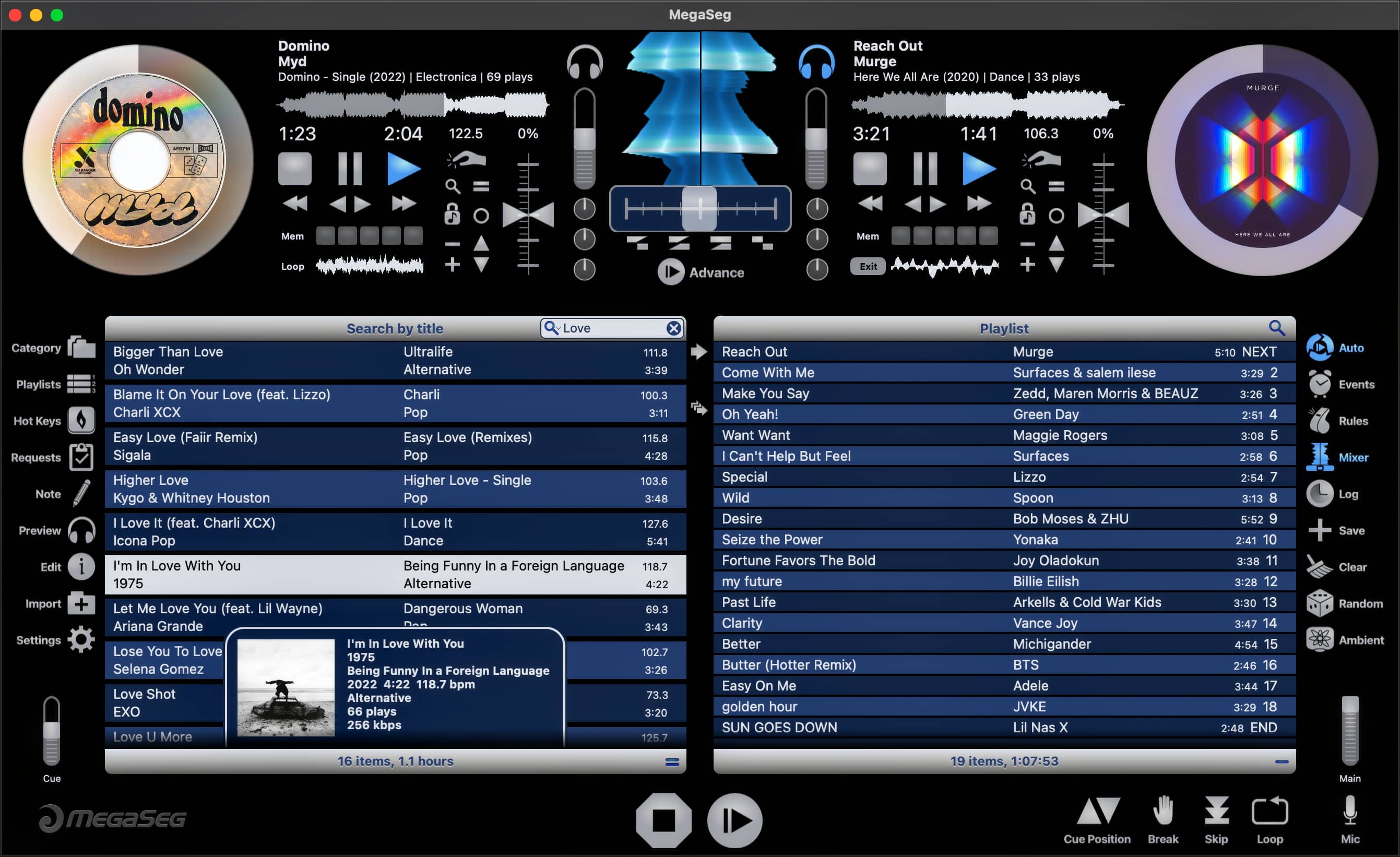
 Improved